What Is OpenAI Codex and How to Install It on Your Computer
OpenAI Codex has moved from a simple code helper into an agentic coding partner. Here is the practical guide to downloading it, installing it, and using it without breaking your project.
ShopiKeys Editorial Team
Published May 7, 2026
Quick answer
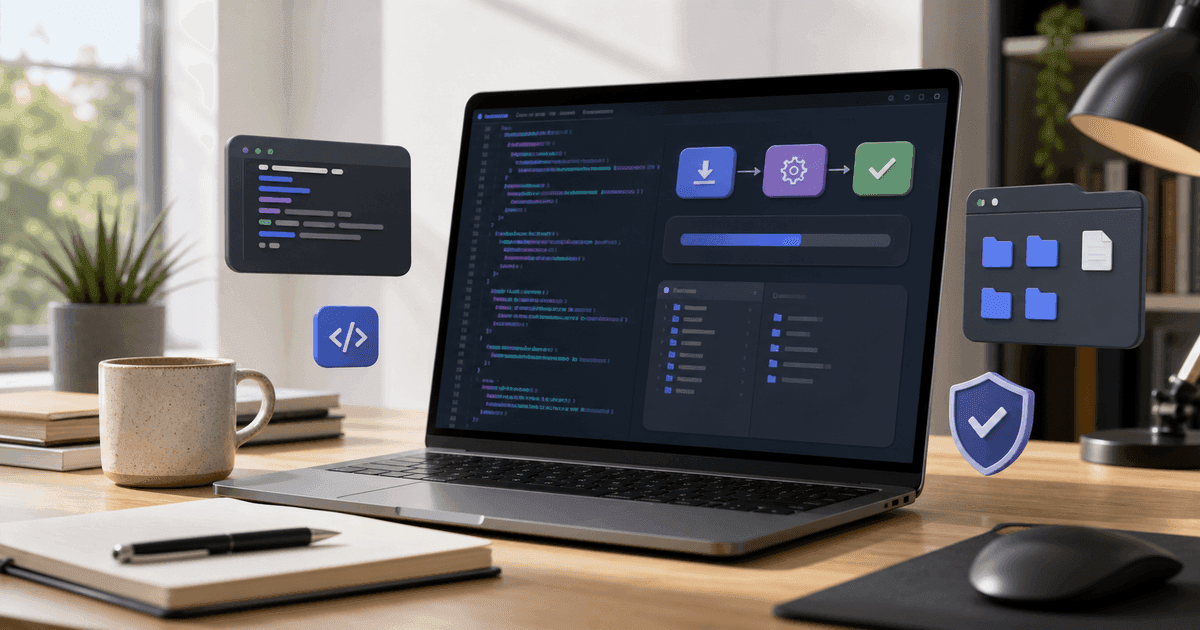
OpenAI Codex is an AI coding agent from OpenAI. You can use it in two main ways: as a cloud-based coding agent inside ChatGPT, often called Codex Web, or as Codex CLI, a local terminal tool that can read, edit, and run code inside the project folder you choose. To install Codex CLI, use `npm i -g @openai/codex` or `brew install --cask codex`, then run `codex` in your terminal and sign in with a supported ChatGPT account or API key.
Why everyone is talking about Codex again
For a while, the word “Codex” sounded like something from the first wave of AI coding: type a comment, get a function, move on. That era is over. Modern Codex is not just a code completion feature. It behaves more like a junior engineer that can inspect a repository, understand the shape of the project, make changes, run tests, and explain what it did.
That difference matters. A snippet generator helps you write faster. A coding agent helps you move work forward.
Imagine opening an old side project and seeing a bug you have ignored for six months. The dependency tree is messy. The tests are half broken. The README is outdated. A normal chatbot can give advice. Codex can work inside the repo and start turning that advice into changed files.
That does not mean you should hand over your production app and walk away. The best results come when you treat Codex like a pair programmer: give it context, define the goal, review the diff, run tests, and keep control of the final decision.
Codex Web vs Codex CLI: the difference in plain English
Codex now makes the most sense when you separate the two experiences.
Codex Web
Codex Web is the cloud-based software engineering agent available through ChatGPT. It is designed for background tasks: fixing bugs, adding features, answering questions about a codebase, and preparing pull requests. Each task runs in its own isolated cloud environment, which means Codex can work on multiple tasks in parallel without occupying your local machine.
Use Codex Web when you want to delegate a clear task, such as:
- “Find why the checkout page fails on mobile and propose a fix.”
- “Add unit tests for the pricing calculator.”
- “Refactor the authentication helper without changing behavior.”
- “Create a PR that updates the onboarding flow copy.”
Codex CLI
Codex CLI runs locally from your terminal. It works in the folder you open, can inspect the files there, edit code, and run commands. This is the version most people mean when they ask how to download Codex on their computer.
Use Codex CLI when you want to stay close to the code and review every step from your machine. It is especially useful for:
- local debugging;
- small refactors;
- explaining unfamiliar projects;
- writing tests;
- updating documentation;
- exploring a codebase before making changes.
A simple rule: use Codex CLI when you want an AI coding partner beside you; use Codex Web when you want an AI agent to work on a scoped task in the background.
Requirements before installing Codex CLI
Before you install anything, check three things.
First, make sure your operating system is supported. Codex CLI is available on macOS, Windows, and Linux. On Windows, you can run it natively in PowerShell or use WSL2 when you need a Linux-style development environment.
Second, decide how you want to install it. The easiest paths are npm and Homebrew. If you already use Node.js and npm, npm is simple. If you are on macOS and use Homebrew, the Homebrew cask feels natural.
Third, know how you will authenticate. The first time you run Codex, it will ask you to sign in. You can authenticate with a supported ChatGPT account or use an API key, depending on your setup.
How to install OpenAI Codex CLI
Option 1: Install with npm
Open your terminal and run:
npm i -g @openai/codexThen move into a project folder:
cd /path/to/your/project
codex
The first time you run Codex, follow the login prompt.
Option 2: Install with Homebrew
On macOS, you can install Codex with Homebrew:
brew install --cask codexThen run:
codexOption 3: Download a release binary
Advanced users can download the correct binary for their platform from the official GitHub releases. This is useful when you want tighter control over versions, but most users should start with npm or Homebrew.
Your first 30 minutes with Codex
Do not begin by asking Codex to “build my app.” That is how people get noisy diffs and vague results. Start with orientation.
Open a real project and ask:
Explain what this project does. Focus on the main folders, entry points, and how data flows through the app.Then ask for a risk map:
Find the parts of this codebase that look fragile, under-tested, or hard to maintain. Do not edit files yet. Give me a prioritized list.Only after that should you ask for a small change:
Add tests for the pricing helper. Keep the public API unchanged. Run the relevant test command and show me the result.This sequence works because it gives Codex a chance to understand before acting. It also gives you a paper trail: first the map, then the plan, then the change.
How to write better Codex prompts
A good Codex prompt has five ingredients.
- The goal: what you want changed.
- The boundaries: what must not change.
- The proof: what tests or commands should pass.
- The style: how you want the implementation to look.
- The review format: how you want Codex to explain the result.
Here is a strong prompt:
Fix the bug where the coupon discount is applied twice when a user refreshes the checkout page. Do not change the database schema. Keep the existing checkout UI. Add or update tests that reproduce the bug. Run the checkout test suite and summarize the exact files changed.Here is a weak prompt:
Fix checkout.The second prompt forces Codex to guess. The first one gives it a target, a fence, and a way to prove the work.
Safety checklist before letting Codex edit your code
Use version control. Always. If you are not inside a Git repository, initialize one before serious work.
Create a new branch for every task. A simple branch name like `codex-fix-checkout-refresh` is enough.
Review the diff before accepting it. Codex can move fast, but speed is not the same as correctness.
Run tests yourself. If the agent says tests passed, still run the key tests locally or in CI.
Be careful with secrets. Do not paste API keys, passwords, private customer data, or production credentials into prompts.
Keep tasks small. Codex performs better when the task has a clear end state.
When Codex is genuinely useful
Codex shines when the work is specific but annoying: writing tests, updating boilerplate, tracing a bug, explaining a legacy file, renaming a function across a repo, or turning a rough idea into a first implementation.
It is also strong for documentation. You can ask it to update a README after it inspects the actual project. That is better than writing generic documentation from memory.
Where it struggles is open-ended product judgment. “Make the app better” is not a task. “Reduce the first-load JavaScript by identifying the top three bundle problems and proposing a minimal fix” is a task.
The best workflow: human decides, Codex executes, human reviews
The mistake beginners make is treating Codex like a magic button. The better mental model is delegation.
You decide what matters. Codex investigates and edits. You review the result. Your test suite verifies the behavior. This loop is not slower than blind automation; it is faster because it avoids the expensive cleanup that follows vague instructions.
FAQ
Is OpenAI Codex free?
Codex access depends on the plan and product you use. Some ChatGPT paid plans include Codex access, while API usage may involve separate billing. Always check the current OpenAI pricing and plan page before publishing exact pricing.
Can Codex build an entire app?
It can help build large parts of an app, but you should still break the work into small tasks: architecture, data model, UI, tests, deployment, and documentation. Full-app prompts usually produce weaker results than staged execution.
Is Codex the same as ChatGPT?
Codex is powered by OpenAI models and connected to ChatGPT plans, but it is specialized for coding workflows. ChatGPT can explain and generate code in a conversation; Codex is designed to work with codebases and perform software engineering tasks.
Does Codex run on Windows?
Yes. Codex CLI supports Windows. Developers can use PowerShell or WSL2 depending on the project environment.
Should beginners use Codex?
Yes, but beginners should use it as a tutor, not as a replacement for learning. Ask it to explain changes, show alternatives, and describe why tests pass.